
Features · v0.7.0
Everything between a loop and a finished song.
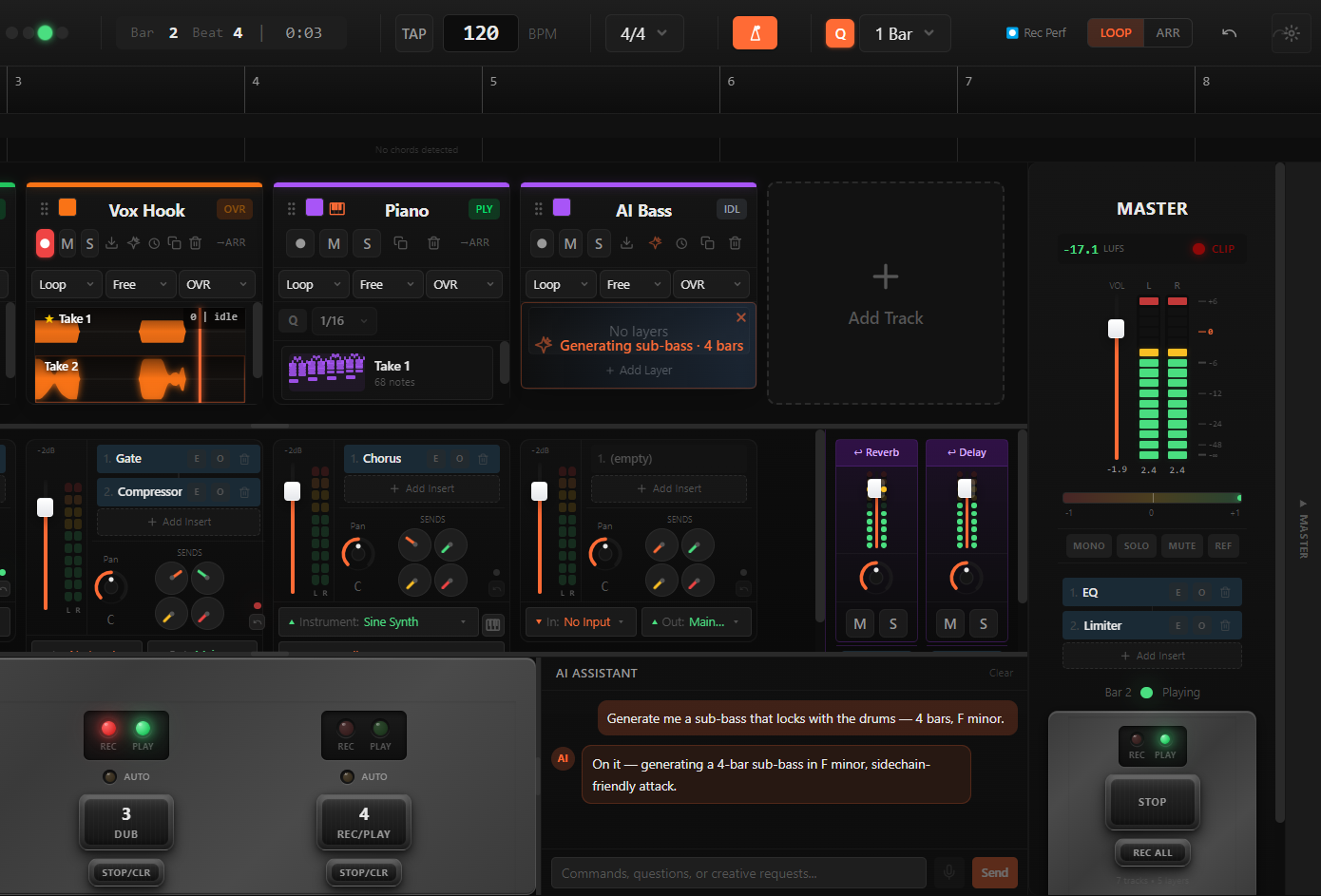
Muse™ by smartgroove is a desktop DAW that puts a live looper, an arrangement timeline and an assistant in one window, so the stages you avoid are the ones you can ask for. Everything below ships in the beta today, on Windows 10/11 and on macOS (Apple Silicon) in beta.
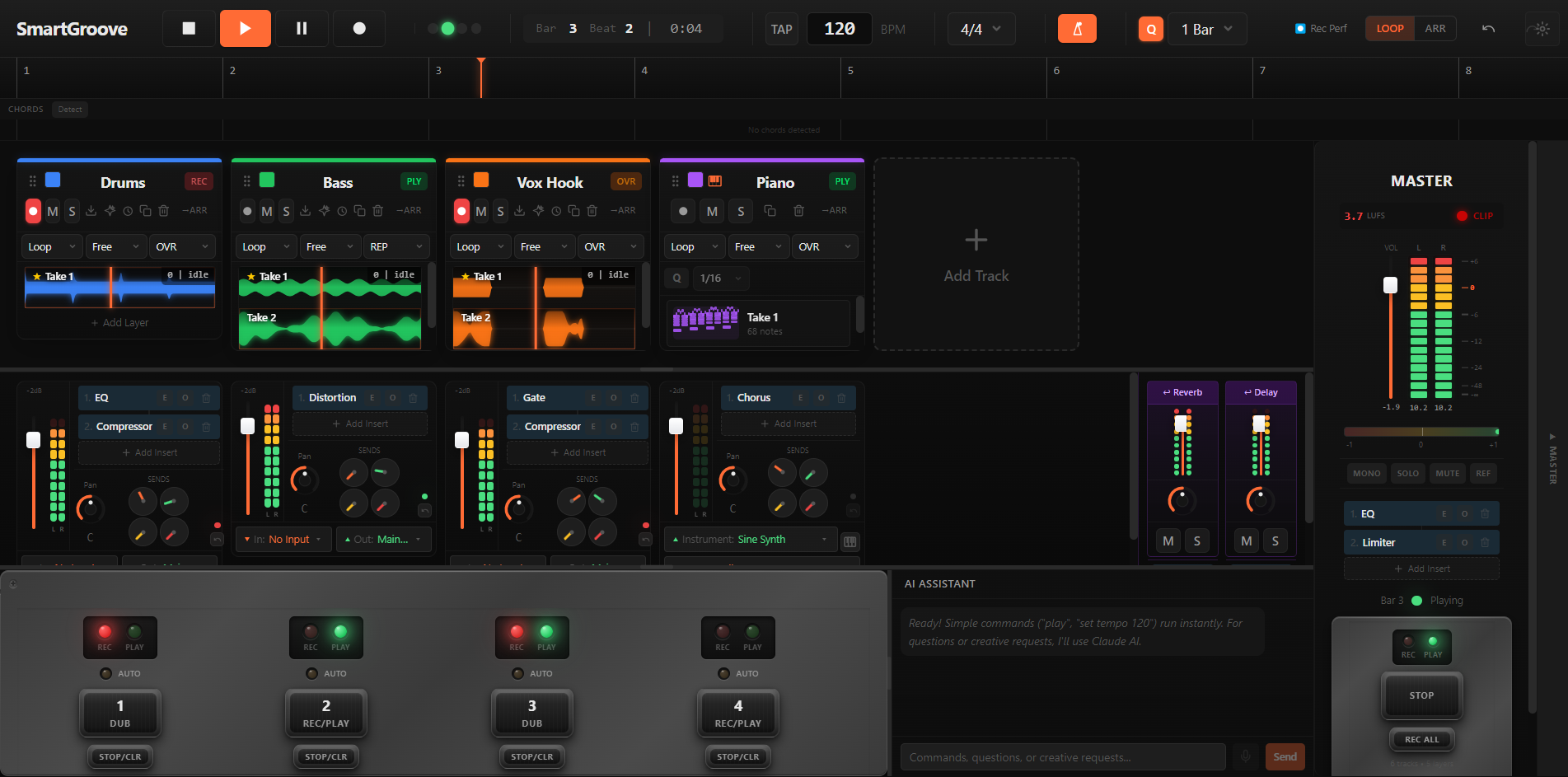
A looper that feels like a pedal
You have a part and you want to build on it now, not after a setup. Record, overdub, undo a layer, quantize to the bar. The first loop sets the master length and everything else falls in with it. The controls are pedal-style on screen, and any MIDI footswitch or controller you already own plugs in and maps to them with MIDI Learn.
- Unlimited tracks (memory-bound)
- Destructive and non-destructive overdub modes
- Per-track loop length (free, or 1 / 2 / 4 / 8 bars)
- Audio layer undo: Ctrl+Z restores a deleted layer
- MIDI Learn: map any footswitch or controller to record, overdub, undo and stop
- Per-track input and output routing, and takes land where you played them
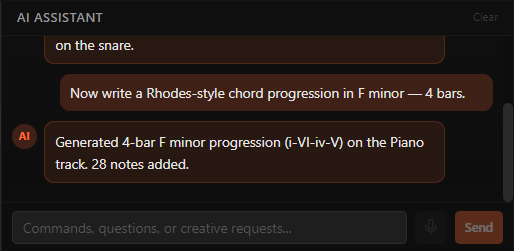
The assistant
The mix you keep not doing, the arrangement you keep putting off: ask in plain words and it operates the DAW. It creates tracks, writes MIDI, inserts and sets plugins, moves clips, mixes. Every action is verified against the engine before it reports back, and Ctrl+Z undoes it.
- MIDI on request: chords, basslines, melodies, drum grooves, in your key
- The mix on request: gain staging, balance, cleanup, dynamics, depth, loudness, each pass measured and kept or revised
- Arrangement edits: move, trim, mute, consolidate, and sections with markers on the timeline
- Voice input: hold Shift+A and say it
- Lost in the window? Ask where the mixer is and it shows you
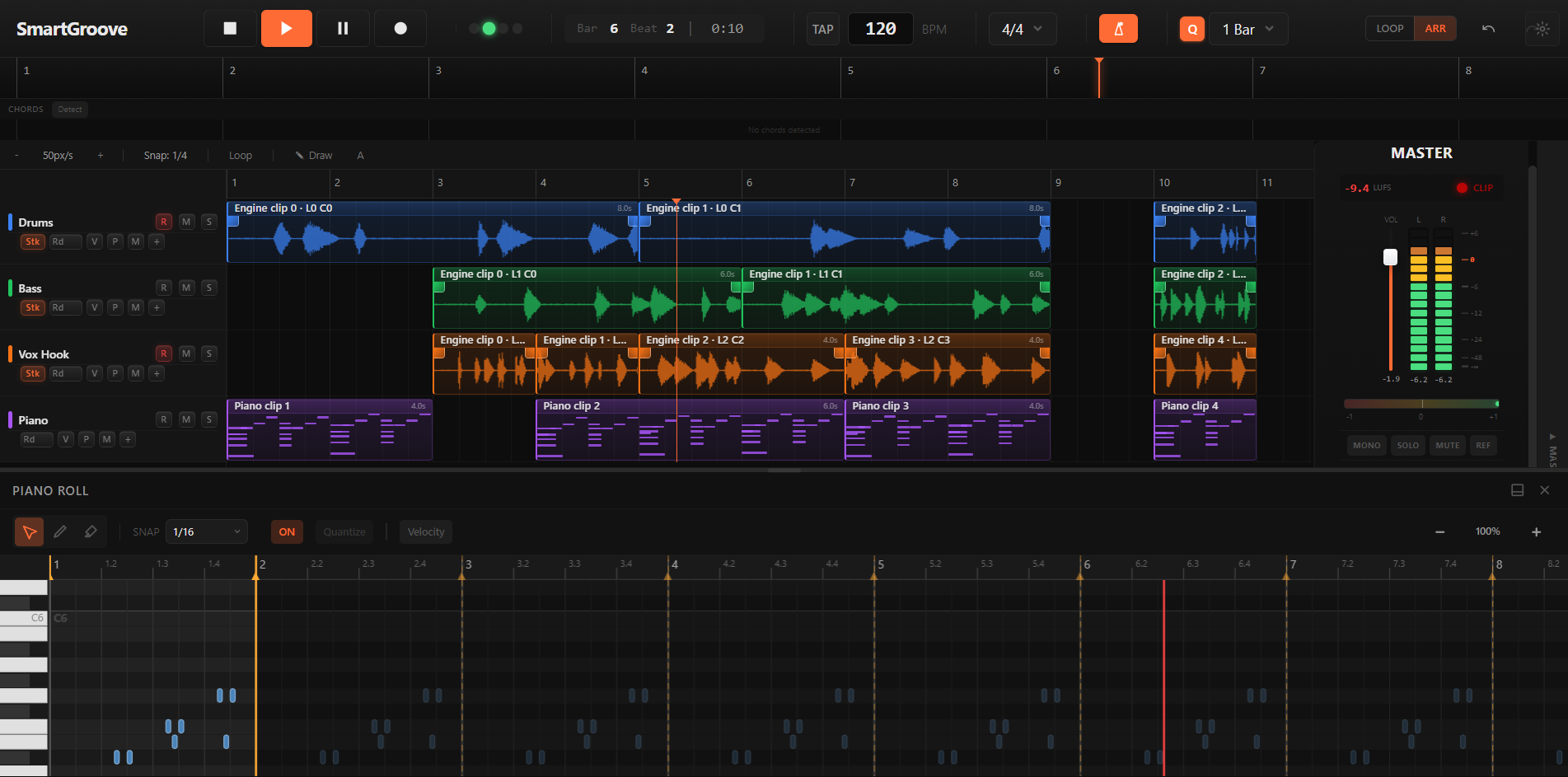
Arrangement view
Session loops and a linear arrangement in one project. Drag clips between lanes, trim by ear, edit MIDI in the piano roll without leaving the timeline, export the song.
- Audio and MIDI tracks side by side
- Cross-lane drag for audio and MIDI clips
- Piano roll inside the arrangement
- Freeze and bounce in place to reclaim CPU, reversibly
- Offline and real-time mixdown to WAV and MP3
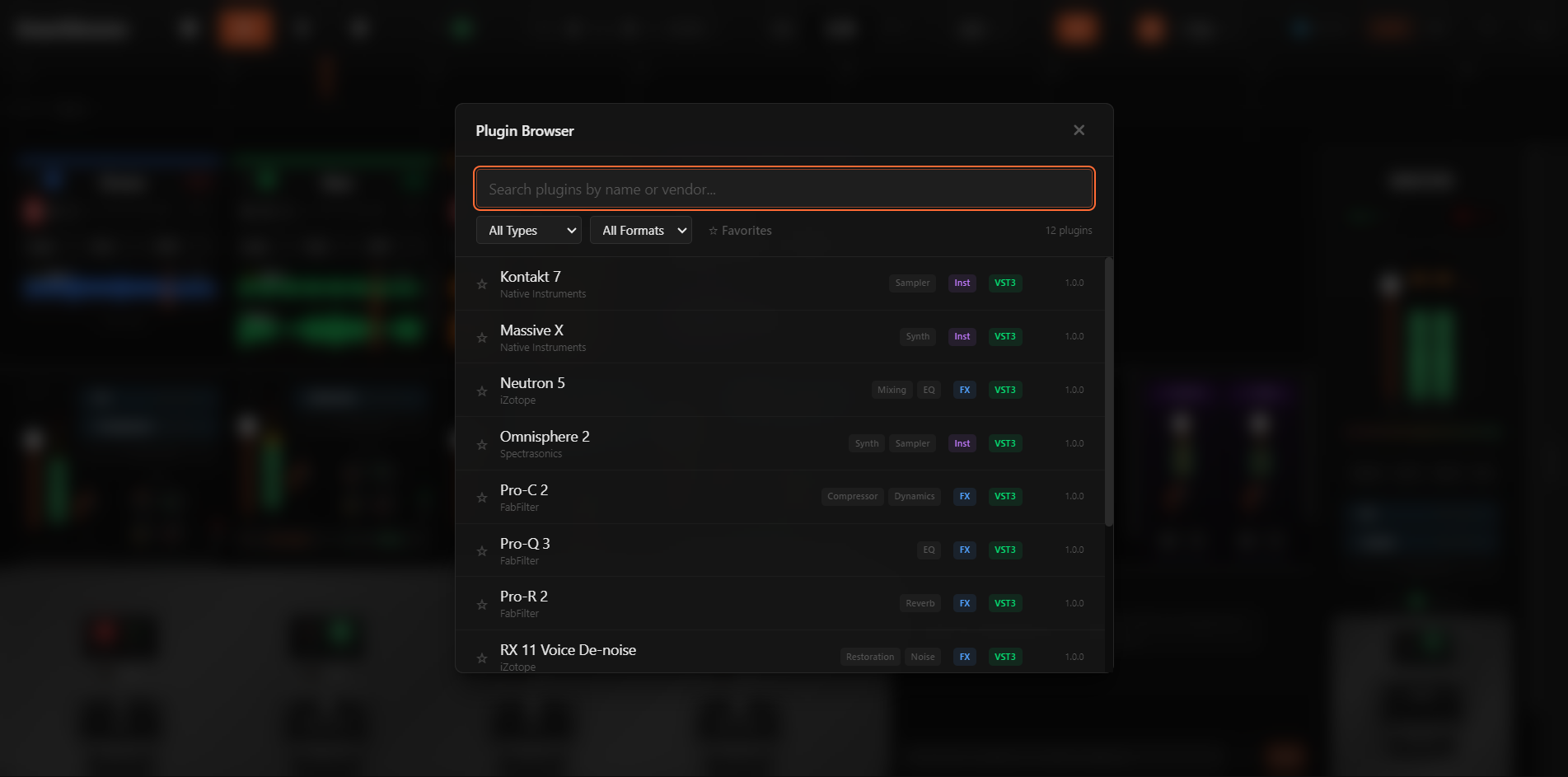
Plugins that cannot take you down
VST3, plus AudioUnit on macOS, each hosted in its own process. A crashing plugin can never take down your session.
- Out-of-process hosting, one worker per plugin instance
- Bypass, remove and reorder inserts without a glitch
- Master-bus inserts and per-track insert chains, up to 8 inserts per track
- Stock plugins included: EQ, compressor, multiband, reverb, delay, limiter, saturator, sampler, drum rack
Generated audio you can edit
Ask for a part and it generates real audio that hears your session (key, tempo, what is already playing), landing as a clip you can trim, pitch and loop. The session keeps playing while it streams in.
- 1–32 bars of audio: Rhodes, drums, sub-bass, a sax take, a full band
- 1–3 takes to pick from, a clip restyled, or parts built under what is there
- Unmix a take into stems: vocals, drums, bass, guitar, keys, other
- A song with sung lyrics, verse and chorus markup, in the language you choose, up to 7 minutes
The whole DAW is free.
No time limit, no card. Add Pro or Studio when you want the assistant to write, generate and mix with you.